
Fipeo help centre
Help
Short guides with real screens for language schools and study-abroad agencies: how to keep your courses and prices up to date, work with agents and handle bookings.
Short videos
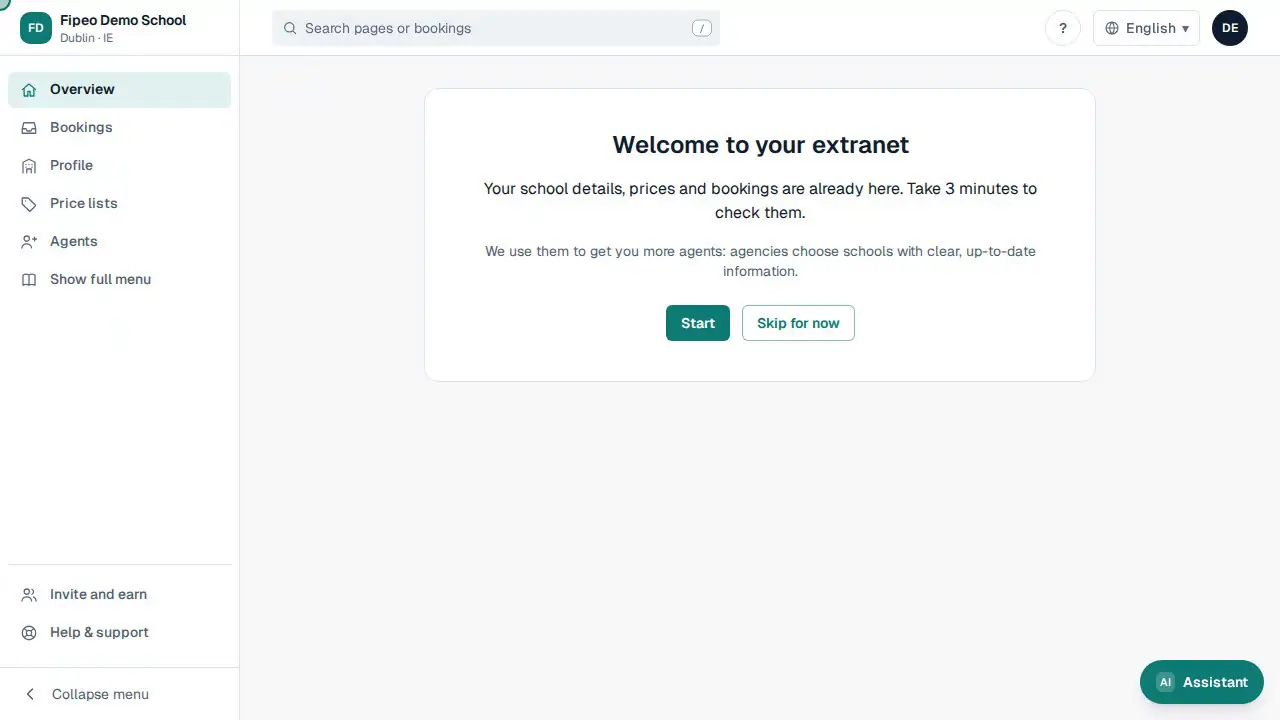
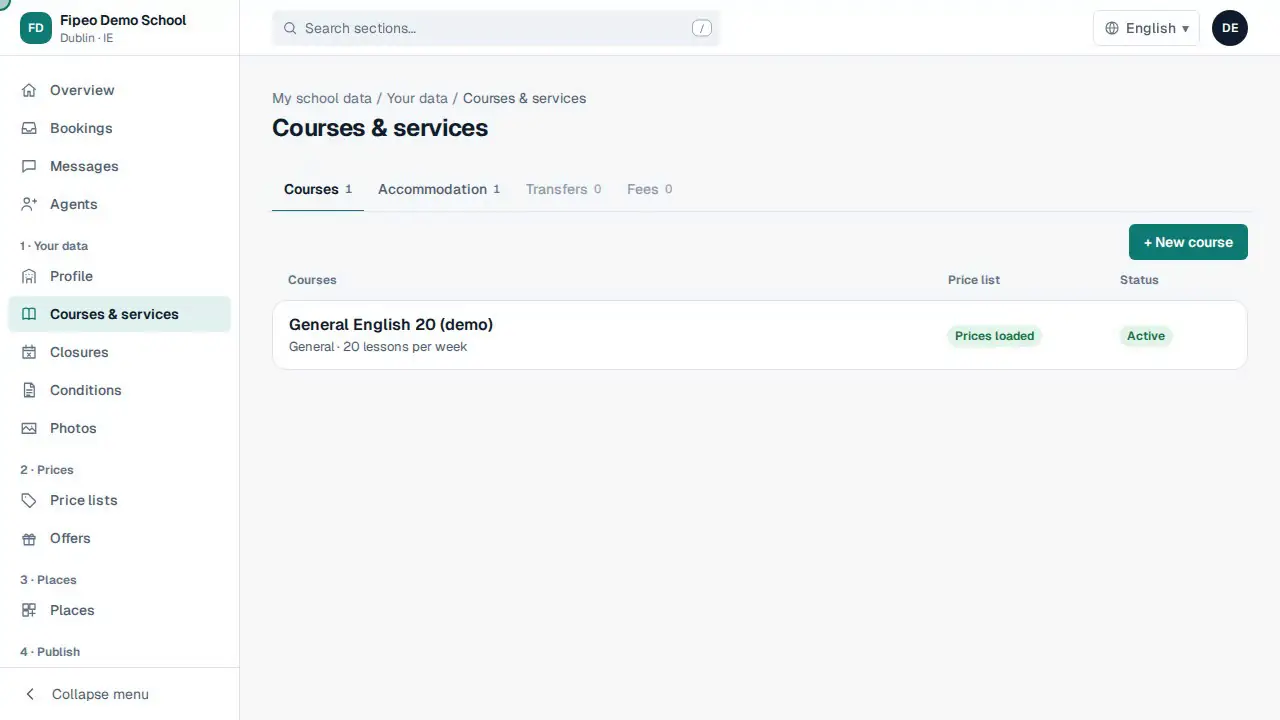
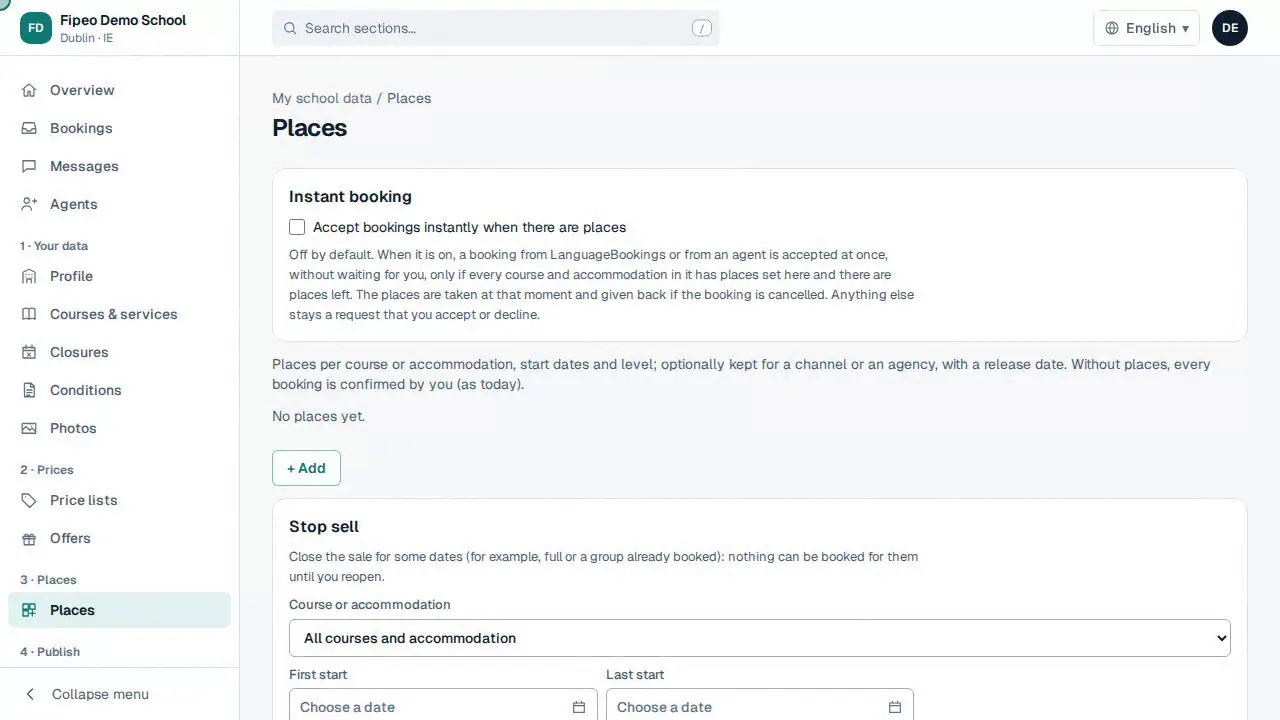
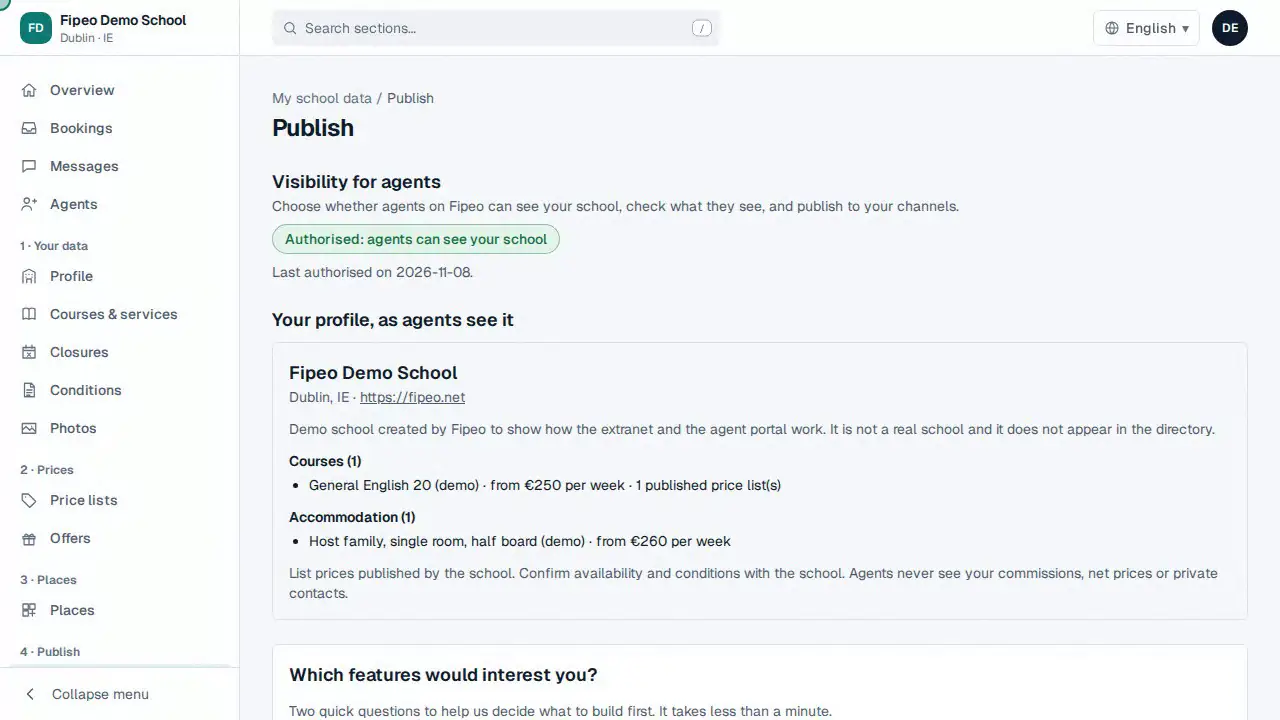
For schools
Your data
- Complete your school profileName, website, description in each language, private contacts and accreditations.Schools
- Add your logo and photosUpload your logo and at least three photos of the school, classrooms or accommodation.Schools
- Courses, accommodation, transfers and feesKeep your catalogue up to date: what you sell, its prices and its start dates.Schools▶ Video
- Closures and public holidaysTell Fipeo when your school is closed so nobody books on those dates.Schools
- Payment and cancellation conditionsCancellation fees, loose nights of accommodation and any other terms, in each language.Schools
Prices
Places
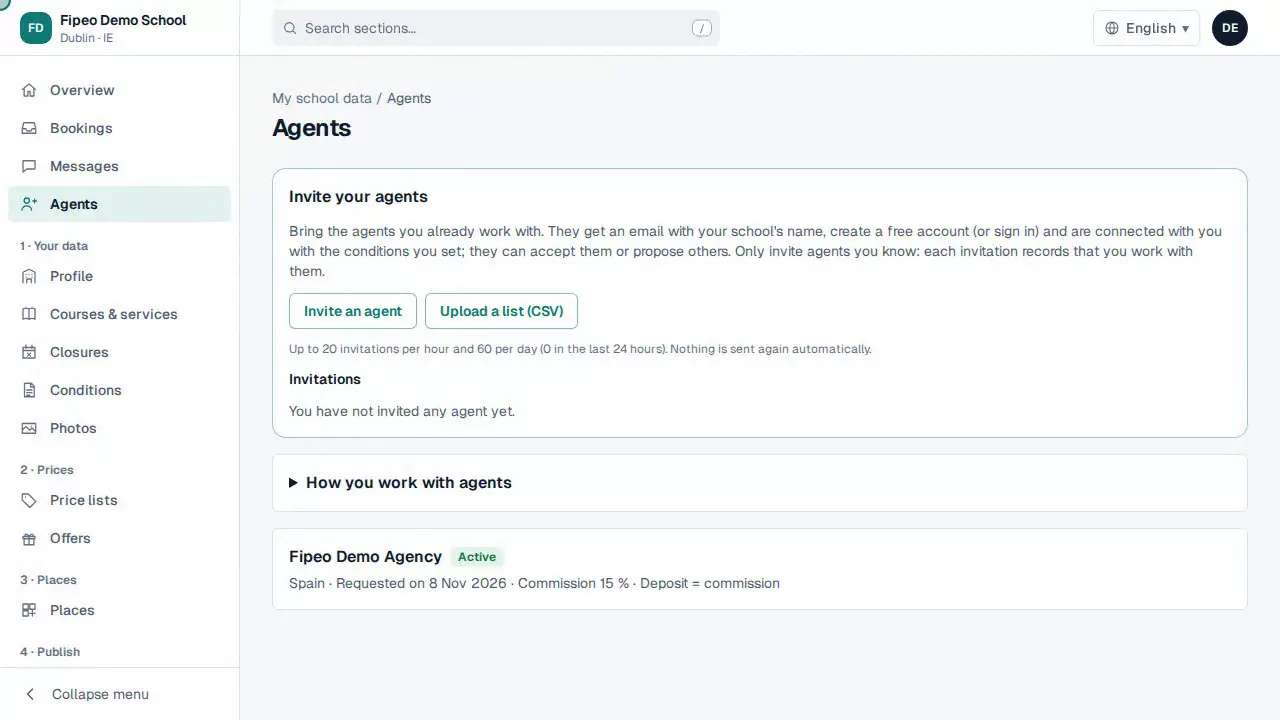
Agents
Bookings and messages
- Answer a bookingAccept, decline or propose changes to each booking within 24 hours.Schools▶ Video
- Propose changes (counteroffer)If you cannot take a booking as it is, offer up to 3 alternatives with today's prices.Schools
- Messages with agentsTalk to agents and channels about a booking or your connection, all in one place.Schools
Account and security
- Bank details and how students pay youCheck your bank details, confirm they are correct and add other payment methods.Schools
- Users of your schoolInvite the people of your school who need to enter, and require two-step verification.Schools
- Settings of your schoolLanguage, email notifications and your default conditions with agents.Schools
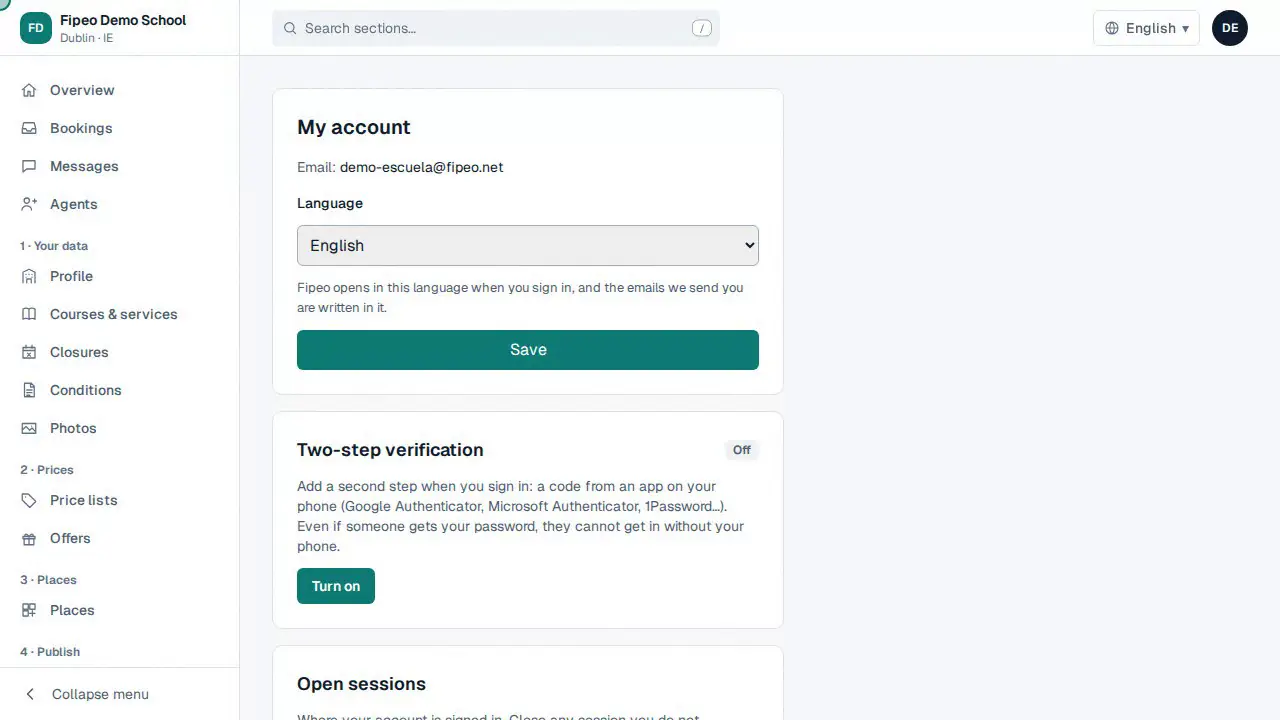
- Two-step verificationProtect your account with a code from an app on your phone, besides your password.Schools and agencies▶ Video
- My account: language and open sessionsChange your language and close sessions on devices you no longer use.Schools and agencies
- Your data: download it or delete your accountDownload your personal data, export everything of your school or agency, delete your user or close the account. Your rights under the GDPR.Schools and agencies
For agencies
Getting started
Find schools and courses
- Find schoolsSearch the directory of schools by country, city, language, course type and accreditation.Agencies
- Connect with a schoolAsk a school to work together, agree a commission and how payments work.Agencies
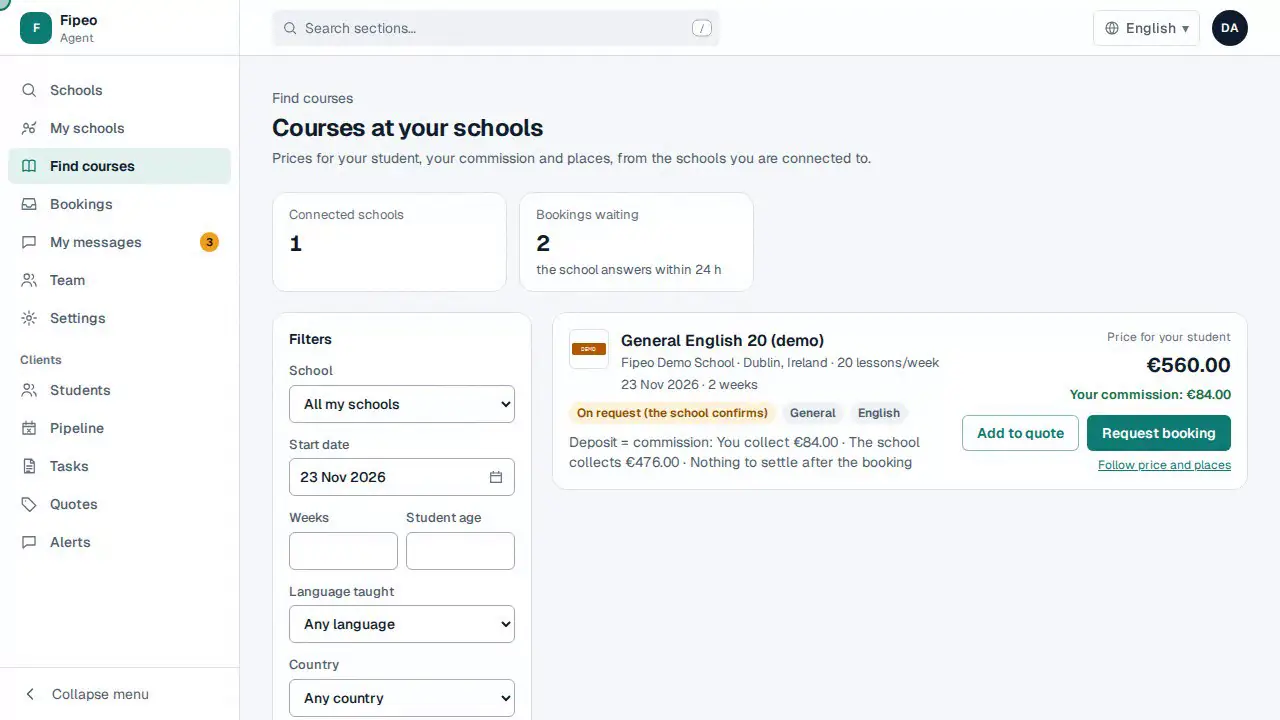
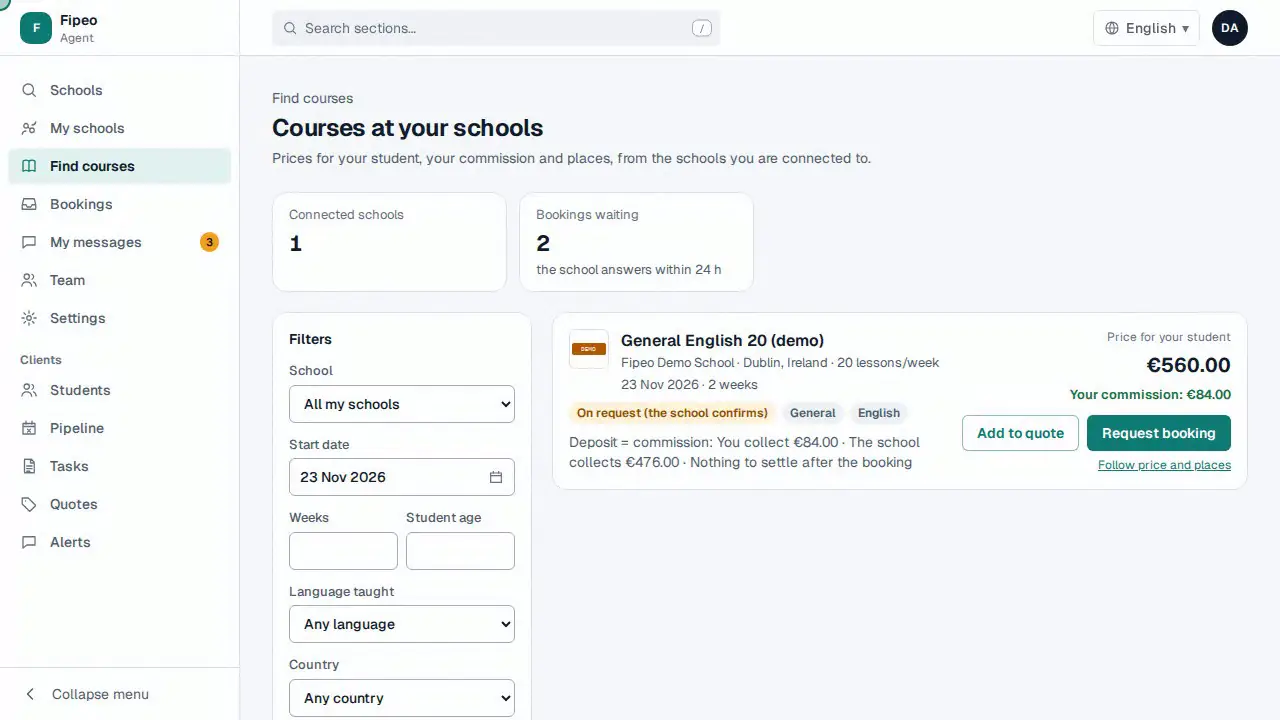
- Find courses and pricesCompare the courses of your schools with the exact price for a start date and number of weeks.Agencies
- Invite your schoolsBring the schools you already work with, and keep a private price list for your quotes.Agencies
Quotes and bookings
- Create a quote and send itPut together options from your schools for a student and send them with your brand.Agencies▶ Video
- Book a courseSend a booking request (or book instantly) for one or more students.Agencies▶ Video
- Messages with schoolsWrite to the schools you work with and follow their answers.Agencies
Your students (CRM)
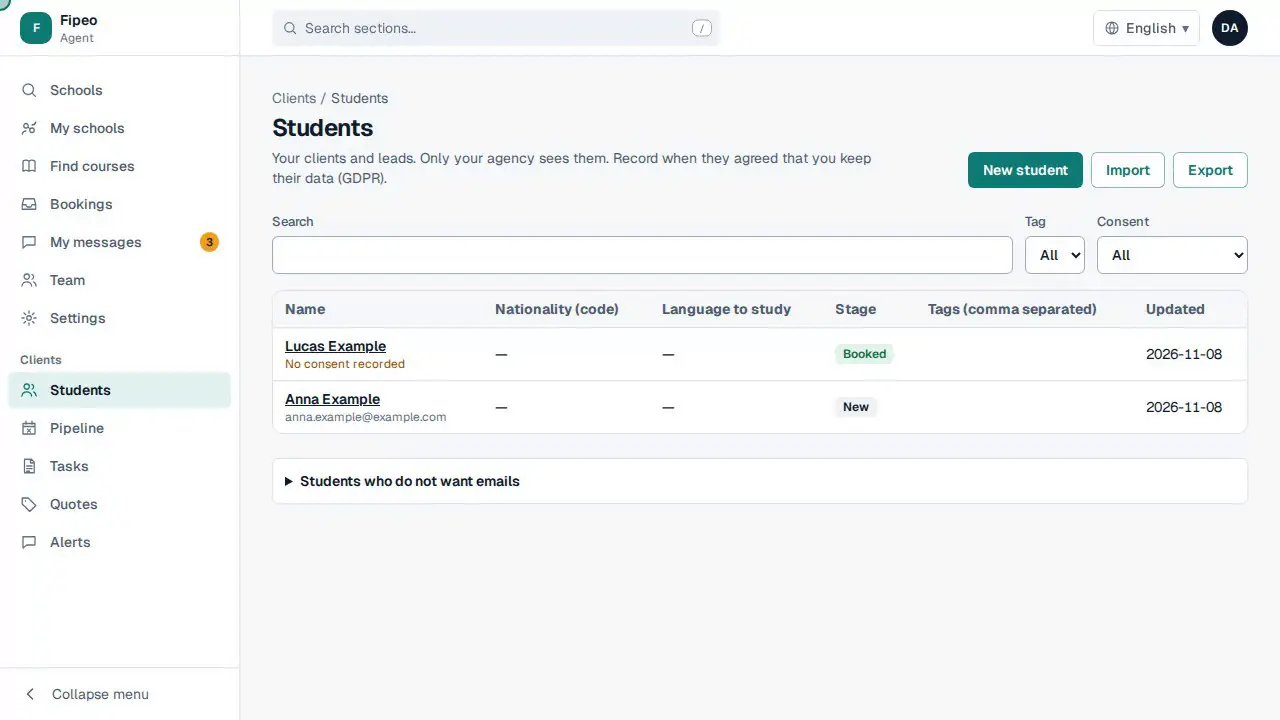
- Students, pipeline and tasksKeep your students, their opportunities and your follow-ups in one place.Agencies▶ Video
- Import students from a spreadsheetBring your students from a CSV or Excel file and check everything before it is saved.Agencies
- Follow price and placesGet an alert when the price of a course changes or places open up.Agencies
Your agency
- Your team and rolesInvite colleagues and choose what each one can do.Agencies
- Your brand on quotesYour logo, colours and contact details on the quotes your students receive.Agencies
- Agency bank details and how you get paidYour bank details and the ways schools can pay your commission.Agencies
- Two-step verificationProtect your account with a code from an app on your phone, besides your password.Schools and agencies▶ Video
- My account: language and open sessionsChange your language and close sessions on devices you no longer use.Schools and agencies
- Your data: download it or delete your accountDownload your personal data, export everything of your school or agency, delete your user or close the account. Your rights under the GDPR.Schools and agencies
Did you know…?
Small things that make the day easier.
Enter sends the message
On a computer, Enter sends and Shift+Enter starts a new line. On a phone, Enter is a new line and the button sends.
The bell tells you what is new
The bell at the top counts new bookings, requests waiting for you and unread messages. Tap it to see them in order.
One conversation per booking
Each booking has its own conversation, opened from the booking itself: the whole history of that student stays together.
Paste a screenshot
Copy a screenshot and press Ctrl+V in the message box: it is attached to the message.
Send a photo from your phone
Tap the clip on your phone to take a photo or choose one from the gallery: it is made smaller before sending.
Find a conversation fast
Filter the messages by kind (enquiry, booking, connection) or search by the name of the student or the booking reference.
Install the app
Install Fipeo on your phone or computer: it opens like any other app, with notices as soon as something arrives.
Open it when the computer starts
In Edge or Chrome, open edge://apps (or chrome://apps), right-click the app and choose «Start app when you sign in». Pin it to the taskbar to keep it at hand.
Notices with sound
If a notice arrives without sound, check the notification settings of your computer or phone for the browser or the app (Windows: Settings → System → Notifications).
Coming soon
These features are being built or are not switched on yet. We will add their guides when you can use them.
- Install Fipeo on your phone and get alertsComing soon
Add Fipeo to your home screen and receive notifications of new bookings and messages.
- School managerComing soon
Students and their records, enrolments, documents with a QR code (letters, certificates) and team roles for your school.
- Special price lists by market or agentComing soon
Different prices for a country, a market or a specific agency, on top of your main price list.
- AI assistant for agenciesComing soon
Draft replies to students and a chat that knows your schools and quotes.
- Automatic reading of price listsComing soon
Fipeo reads your PDF and fills in courses and prices for you to review. Today our team loads your price list for you.
Can't find what you need? Write to us: [email protected]