
Courses, accommodation, transfers and fees
Keep your catalogue up to date: what you sell, its prices and its start dates.
Short video without sound. Subtitles are on; you can change the language in the player.
Steps
Go to Courses & services. The tabs show Courses, Accommodation, Transfers and Fees.
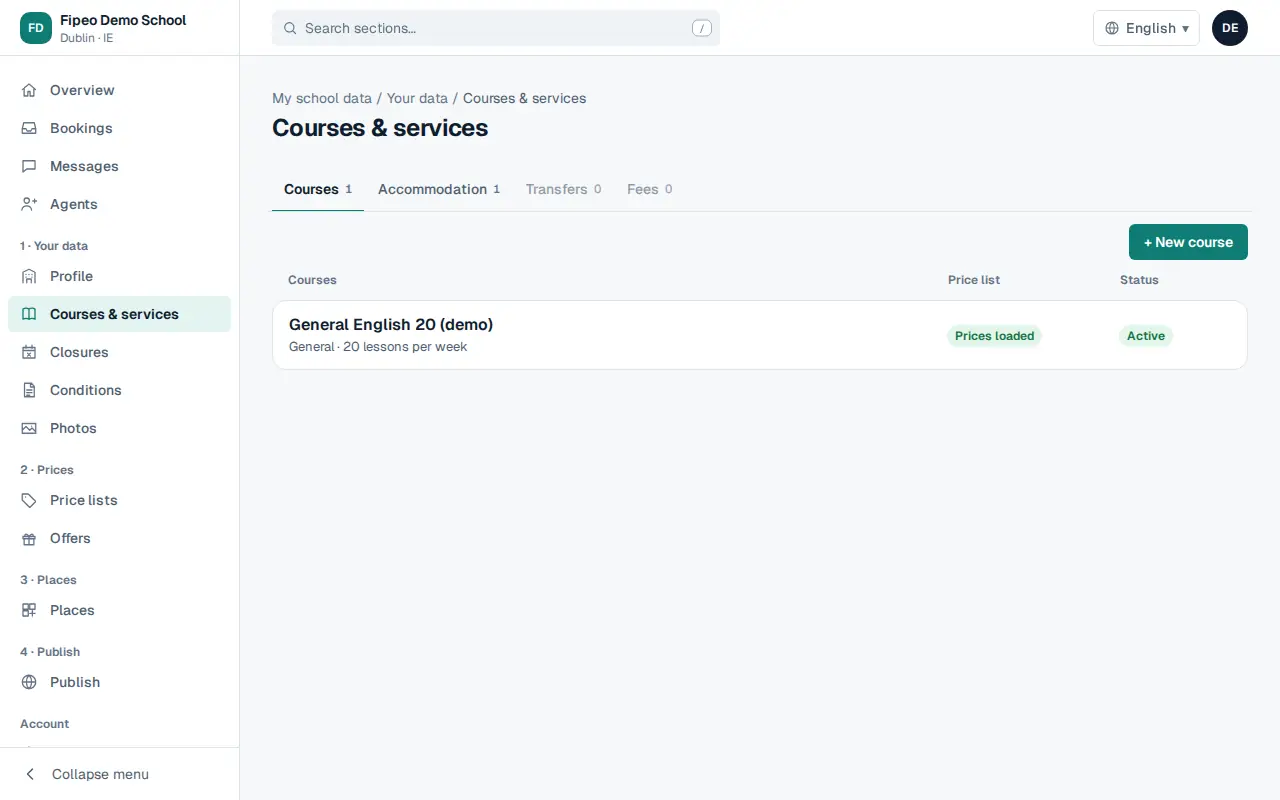
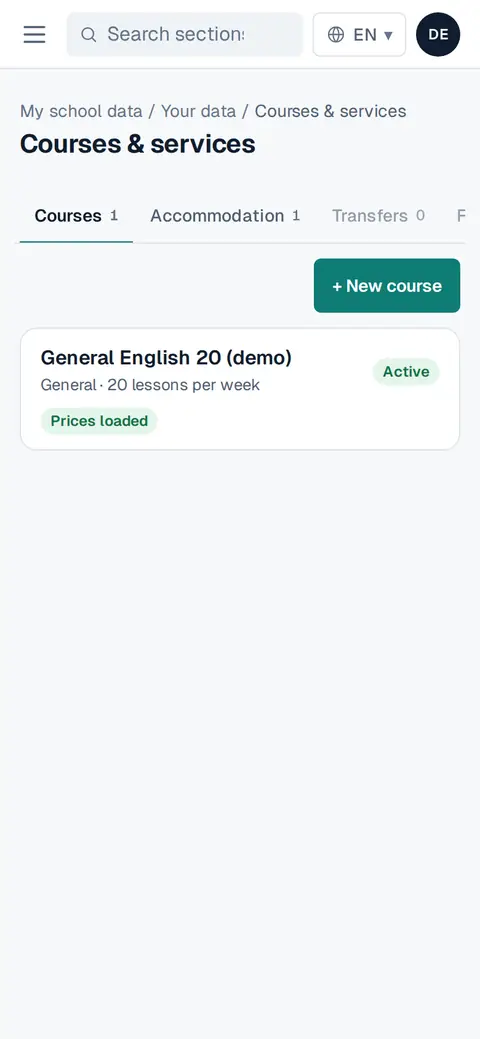
Screenshot: Go to Courses & services. The tabs show Courses, Accommodation, Transfers and Fees. Press + New course (or new accommodation, transfer or fee) to add one, or press an existing one to open it.
In each item you see its prices by date and number of weeks and its Start dates (any Monday, one day of the week, every few weeks or fixed dates). Change what you need and press Save.
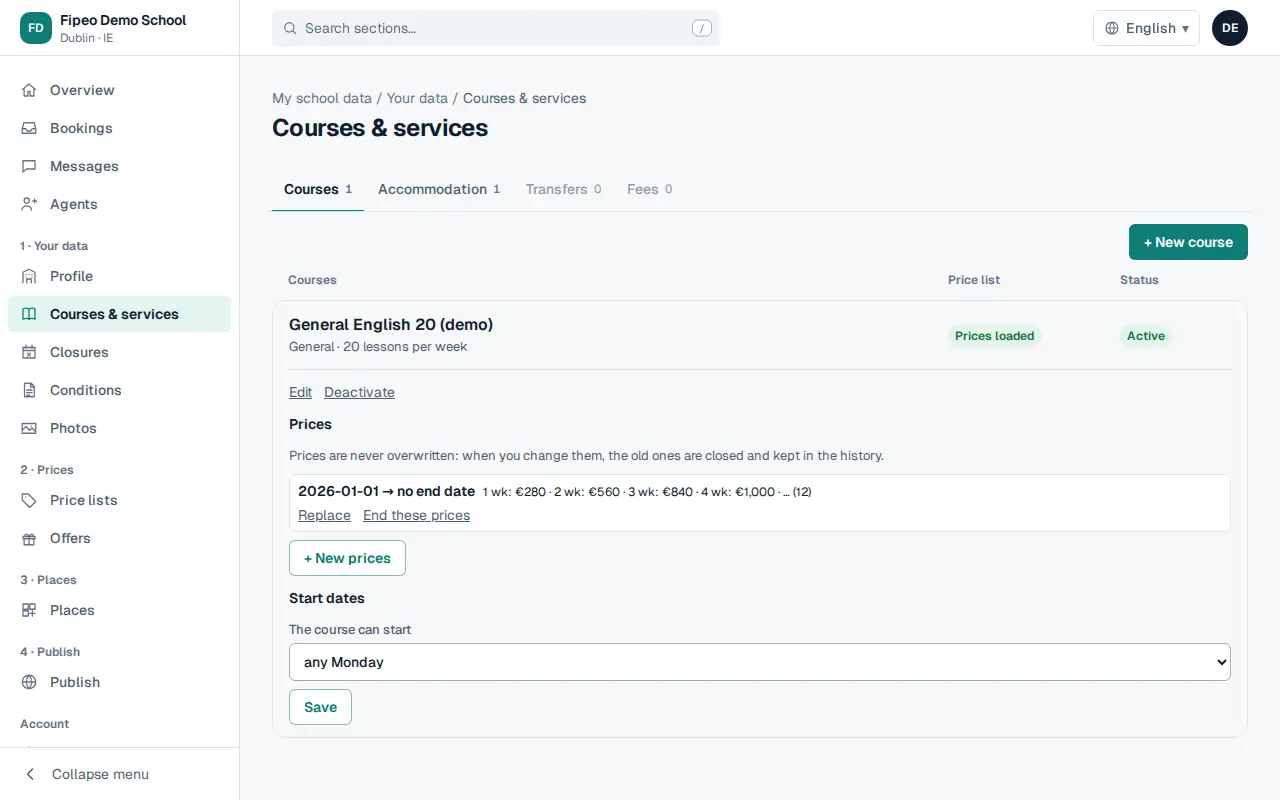
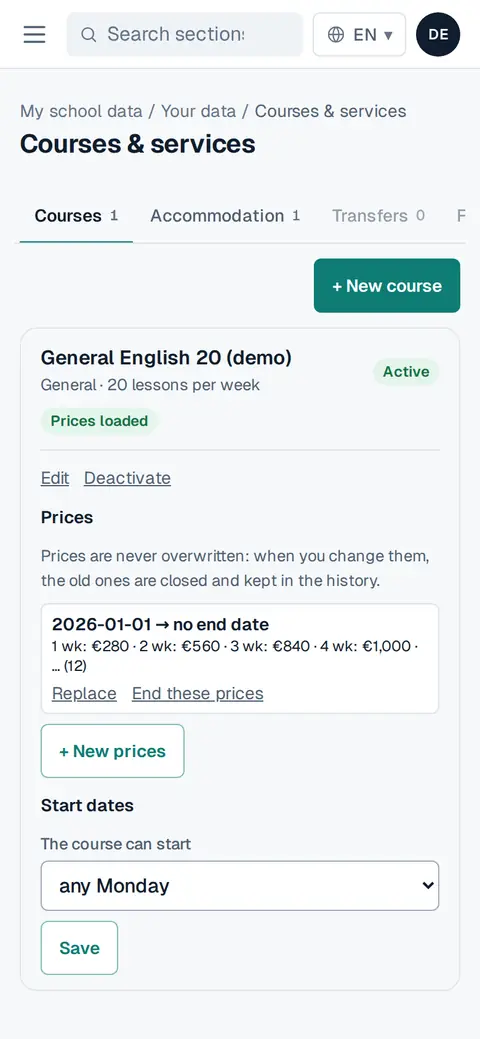
Screenshot: In each item you see its prices by date and number of weeks and its Start dates (any Monday, one day of the week, every few weeks or fixed dates). Change what you need and press Save. To stop selling something, press Deactivate: it is not sold any more, and nothing is deleted.
Items marked Prices loaded have current prices. If prices end soon, the overview reminds you.