
Complete your school profile
Name, website, description in each language, private contacts and accreditations.
Steps
Go to Profile in the menu (group Listing & visibility).
Check the name, website and minimum age. Write the Description in English: it is required. The tabs EN, ES, FR, IT, DE and PT show which languages are written by you, translated automatically or missing.
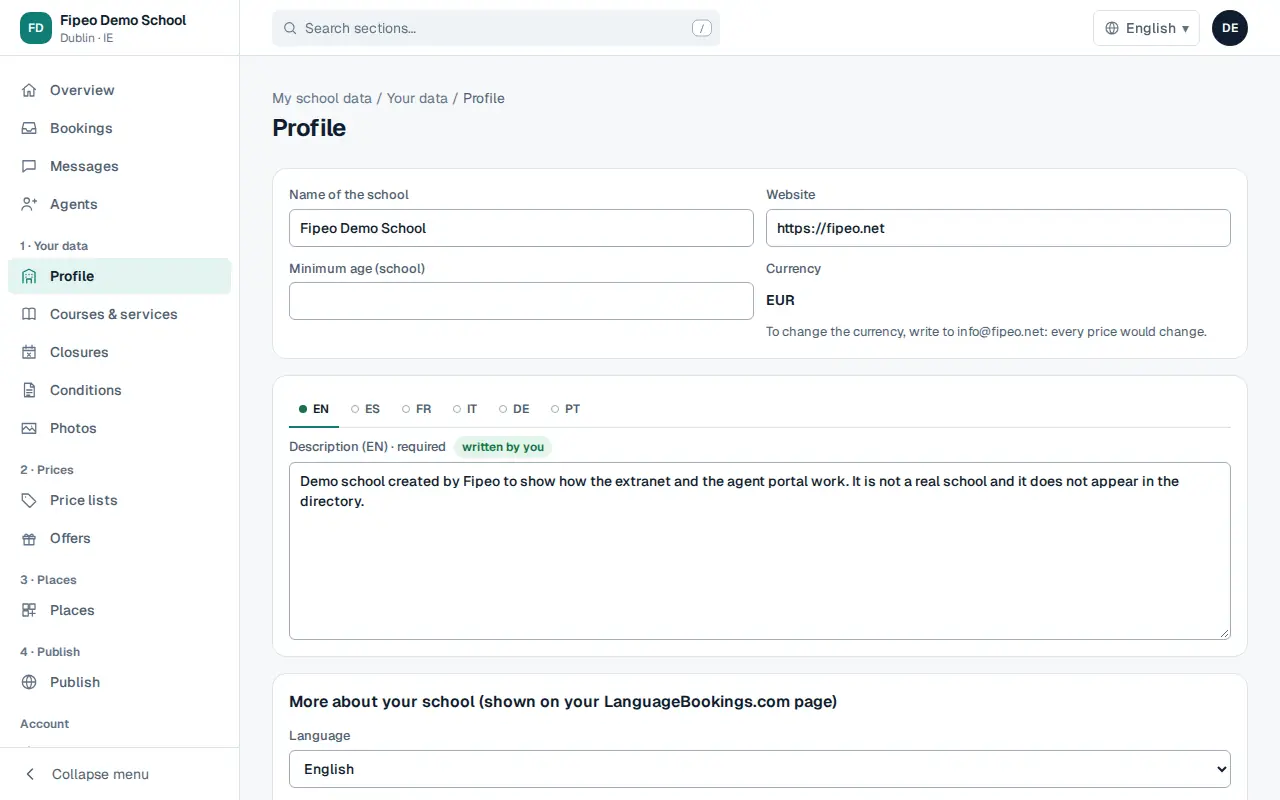
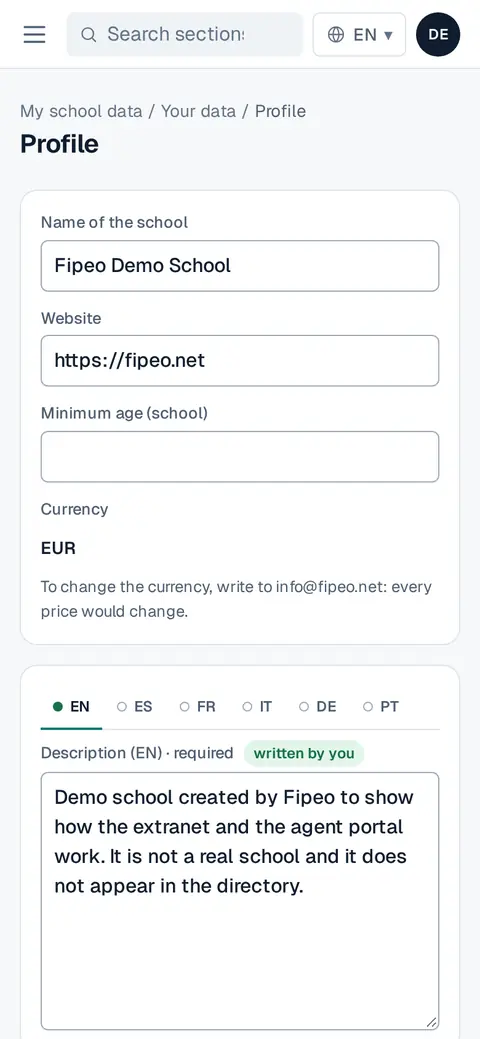
Screenshot: Check the name, website and minimum age. Write the Description in English: it is required. The tabs EN, ES, FR, IT, DE and PT show which languages are written by you, translated automatically or missing. Fill in the school facts (classrooms, level test, nearest airport, opening hours) and the location on the map, and press Save.
In Contacts add who receives booking requests, prices and invoices. These contacts are private: agents never see them.
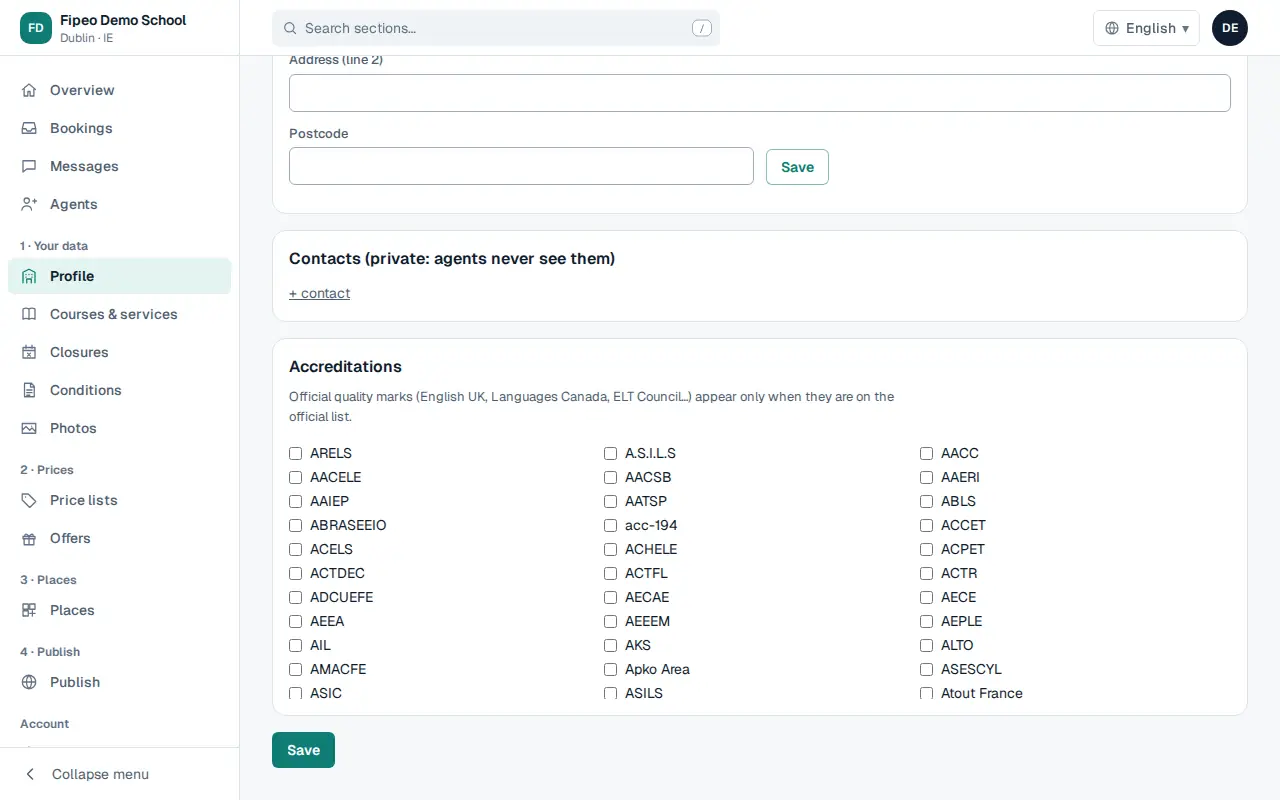
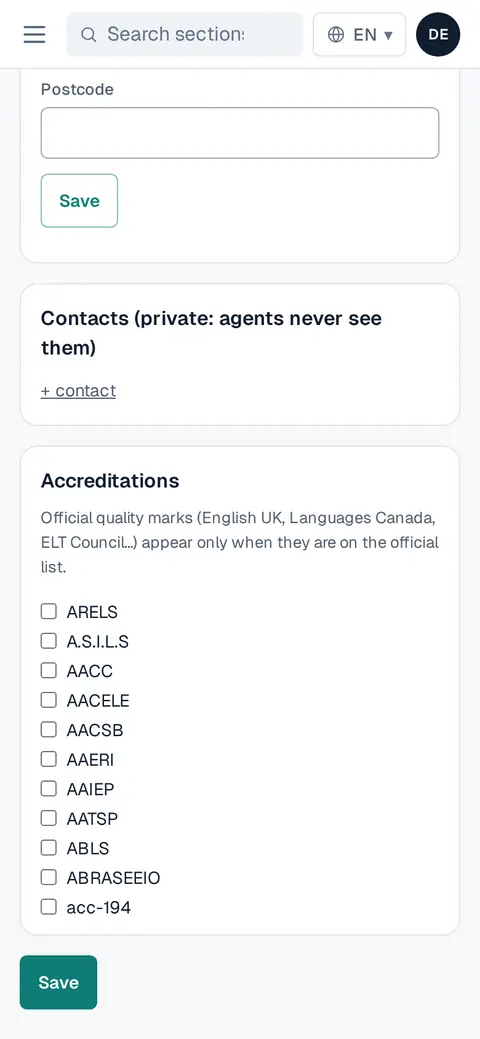
Screenshot: In Contacts add who receives booking requests, prices and invoices. These contacts are private: agents never see them. Tick your Accreditations. Official quality marks only appear when they are on the official list.