
Find courses and prices
Compare the courses of your schools with the exact price for a start date and number of weeks.
Steps
Go to Find courses. Choose the school (or all), the Start date, the weeks and the student age.
Each course shows the price for your student, your commission, availability and the payment model.
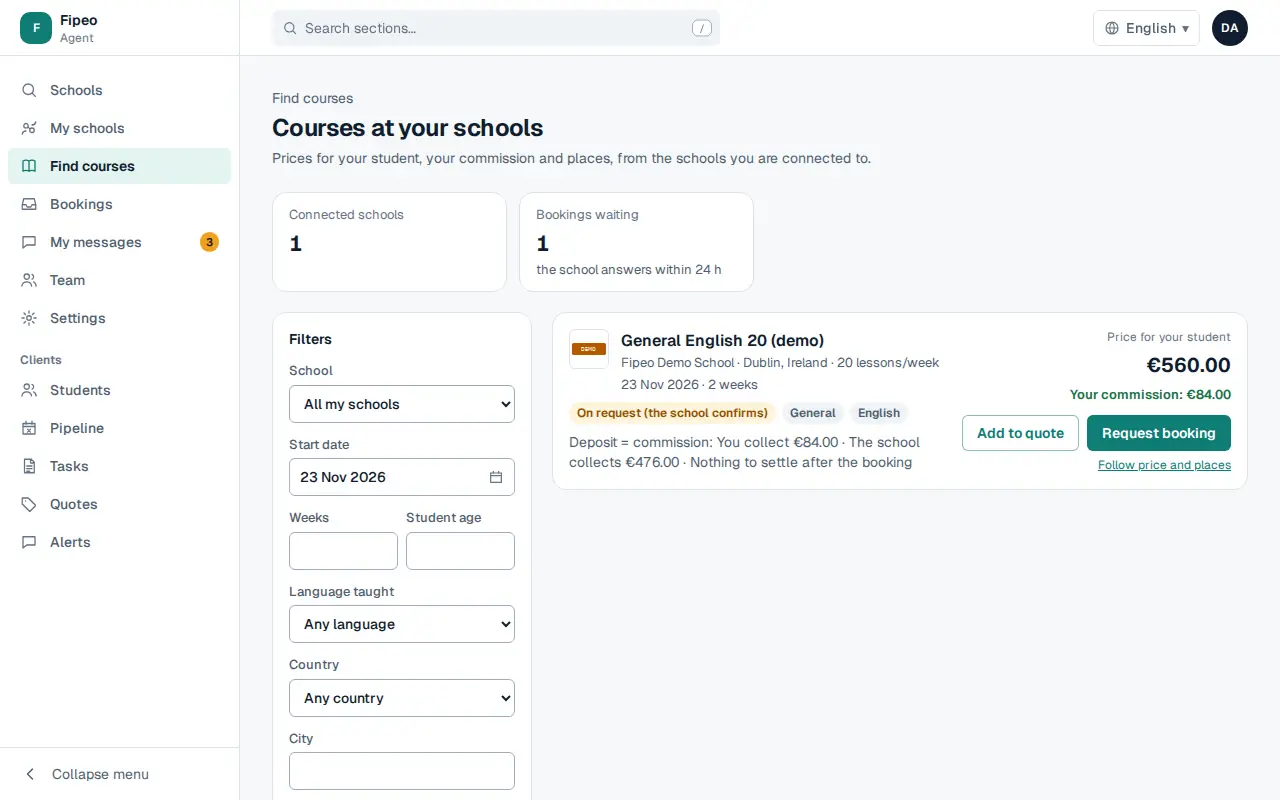
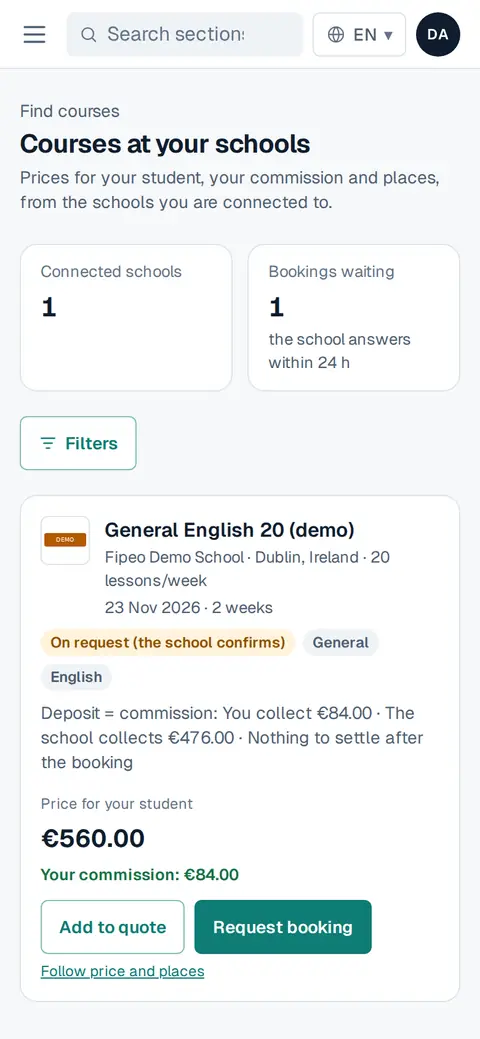
Screenshot: Each course shows the price for your student, your commission, availability and the payment model. From the course: Add to quote, Request booking (or Book when the school accepts instant booking) or Follow price and places.