
Invite your schools
Bring the schools you already work with, and keep a private price list for your quotes.
Steps
Go to My schools and press Invite a school (or Upload a list (CSV)).
Fill in the school, contact, email, country, city, website, the currency of its prices and the conditions you agreed. Confirm that you already work with it.
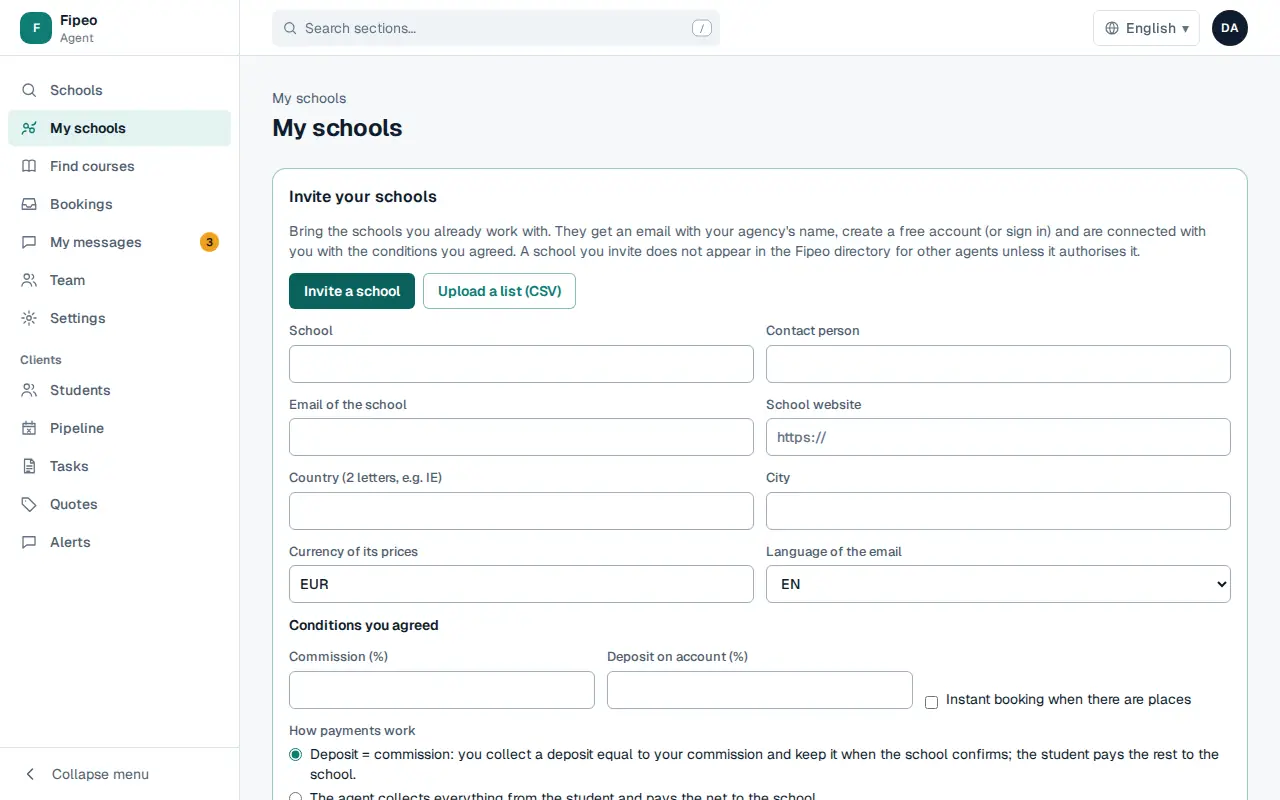
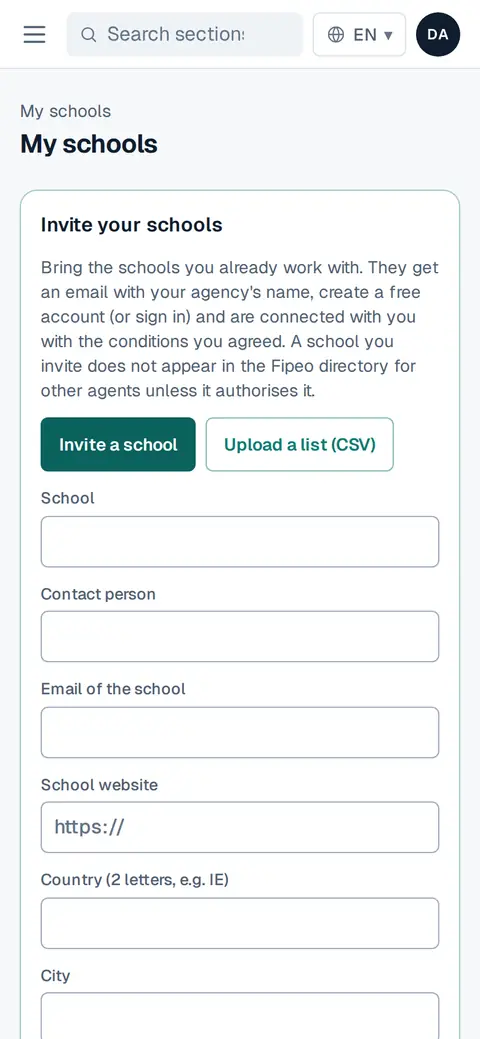
Screenshot: Fill in the school, contact, email, country, city, website, the currency of its prices and the conditions you agreed. Confirm that you already work with it. The school gets an email with your agency's name. If it accepts, you are connected.
Use Price list on an invitation to upload its prices: only your agency sees them, marked «uploaded by your agency, not confirmed by the school». They are for quotes, not bookings.