
Publish your school for agents
Authorise Fipeo so agents can see your school, check what they see and set your standard commission.
Short video without sound. Subtitles are on; you can change the language in the player.
Steps
Go to Publish.
In Visibility for agents, authorise Fipeo. The label changes to Authorised: agents can see your school.
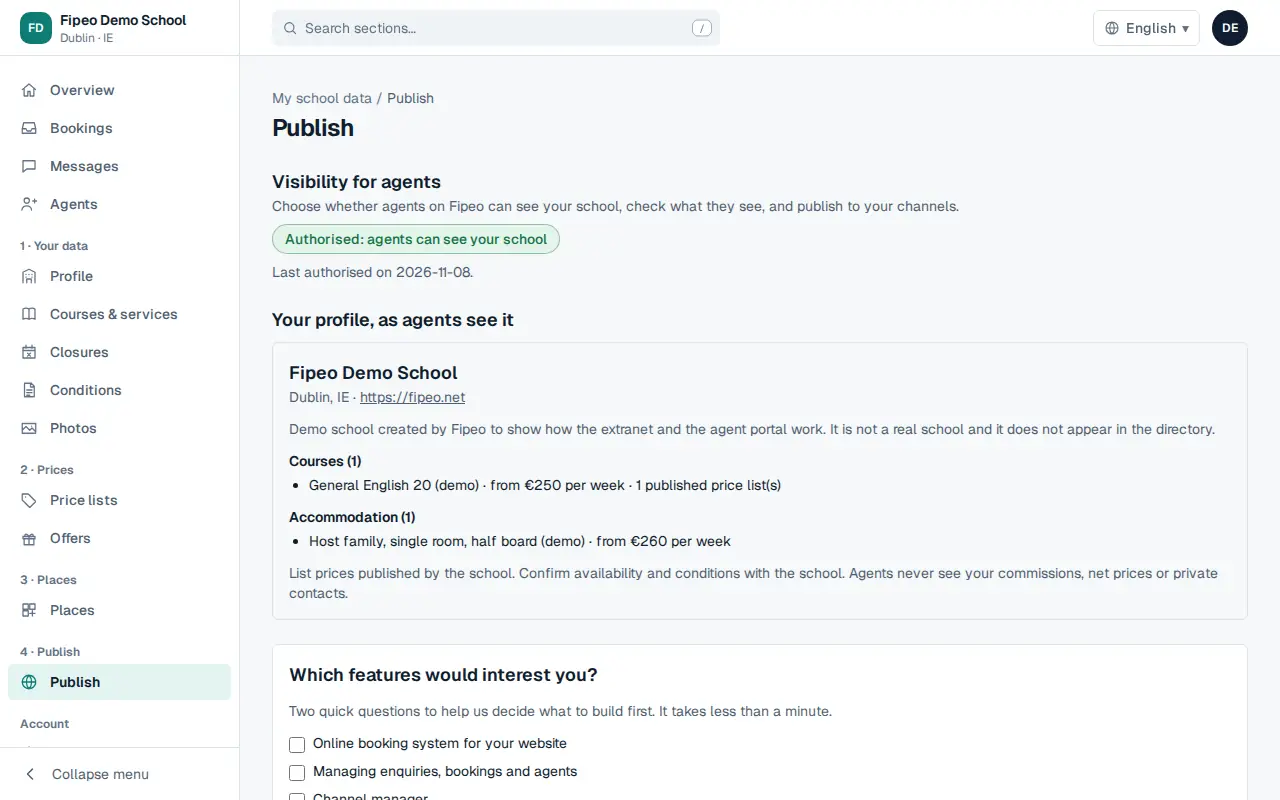
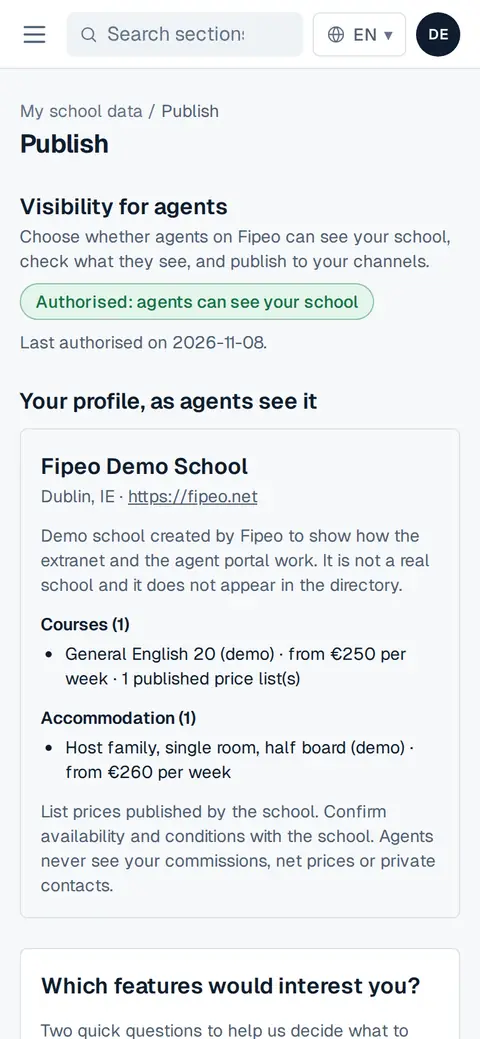
Screenshot: In Visibility for agents, authorise Fipeo. The label changes to Authorised: agents can see your school. Check Your profile, as agents see it. Optionally, set your Standard commission for agents: it is used for agents who connect from preapproved lists.
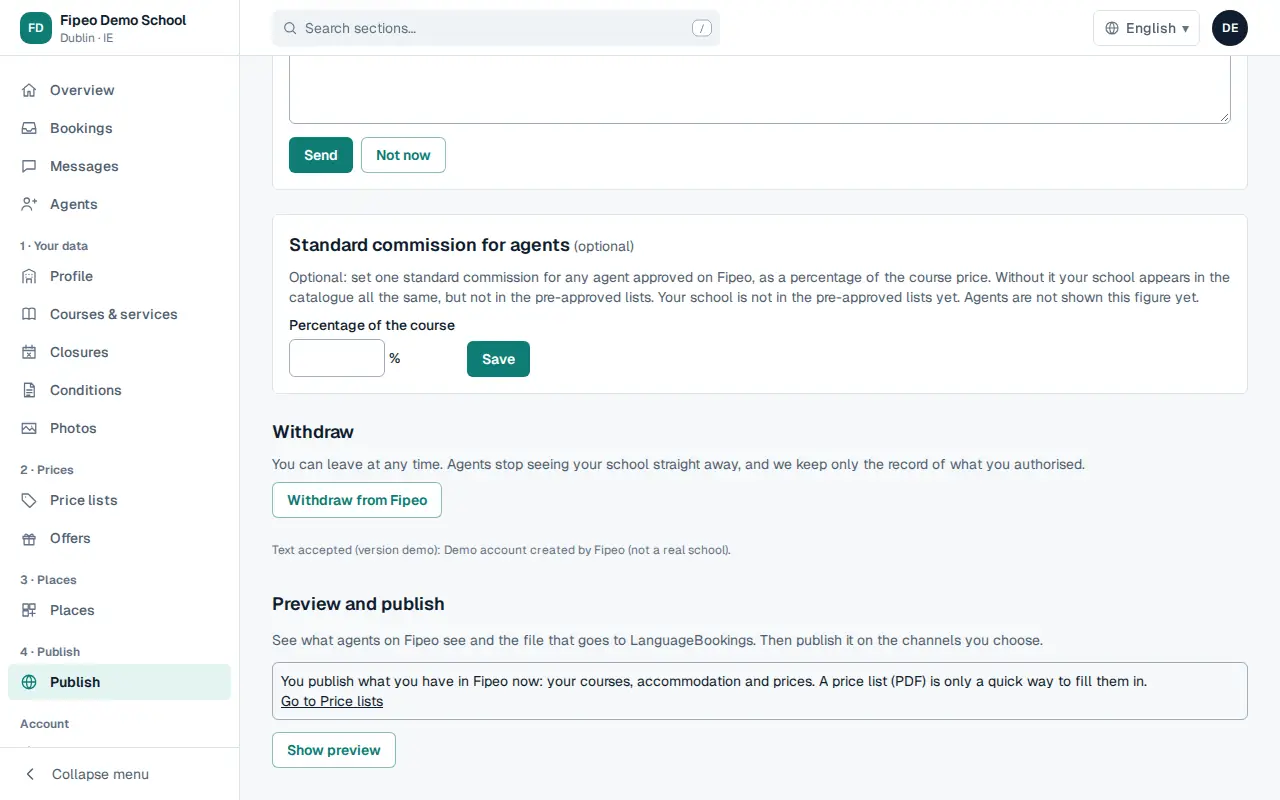
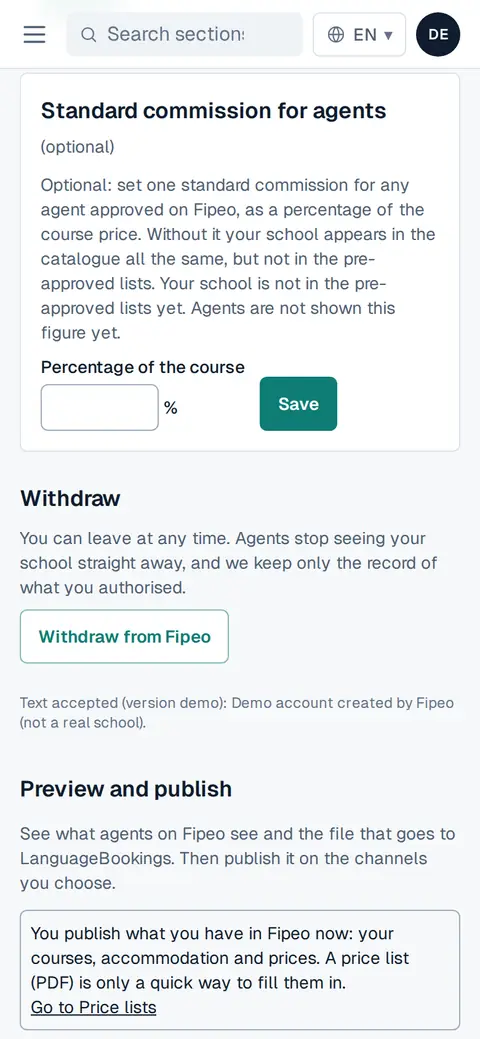
Screenshot: Check Your profile, as agents see it. Optionally, set your Standard commission for agents: it is used for agents who connect from preapproved lists. In Preview and publish you see what goes to each channel before publishing it.
You can Withdraw from Fipeo at any time: agents stop seeing your school straight away.